The best WordPress AI chatbot plugin depends on the job you need it to do. A developer building several AI features needs a different product from a service business that wants controlled customer support. A support team working across chat, email, and phone needs a different operating system again.
This comparison looks at seven credible options through that lens. It does not reward the longest feature list. It compares where each product is managed, how it uses knowledge, what happens when the AI should stop, and how the cost model works.
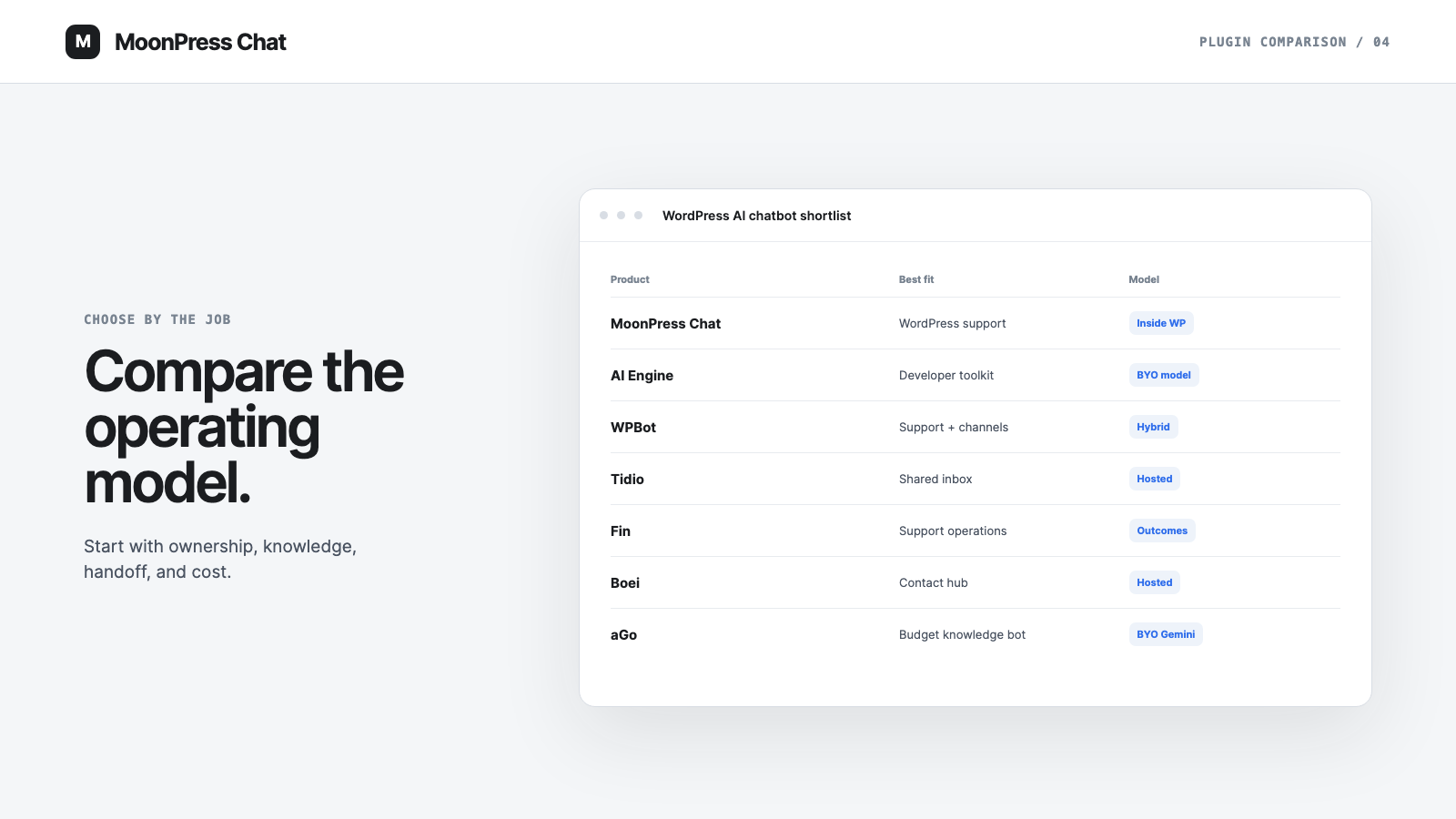
The short answer: choose MoonPress Chat for a WordPress-first customer-support workflow, AI Engine for a flexible developer toolkit, WPBot for a broad WordPress chatbot suite, Tidio for AI plus a shared inbox, Fin for a wider support operation, Boei for a small-business receptionist, or aGo for a free file-based bot using your own Gemini key.
The comparison at a glance
| Product | Best fit | Where you manage it | Knowledge approach | Human support | Cost model |
|---|---|---|---|---|---|
| MoonPress Chat | A WordPress site that needs customer support | WordPress | Selected and approved site content | Full conversation handoff | MoonPress Chat is free forever; MoonPress Chat Pro is $200/year and still in development; direct provider usage |
| AI Engine | Developers building several AI features | WordPress plus chosen AI services | Site content, files, embeddings, and vector stores | Not a dedicated support inbox | Free and Pro plugin tiers plus provider costs |
| WPBot | Teams wanting a feature-rich WordPress bot | WordPress plus connected services | Site content, documents, RAG, and guided flows | Live chat and channel options in paid editions | Free and paid editions plus provider costs |
| Tidio | Teams combining AI with live support | Tidio platform | FAQs, website content, and support sources | Shared inbox, routing, and ticketing | Recurring plans with conversation quotas |
| Fin | Established, multichannel support operations | Fin or an integrated helpdesk | Support content and conversation history | Workflows and helpdesk handoff | $49 base plan plus additional outcome charges |
| Boei | Small businesses wanting an AI receptionist | Boei platform | Business content configured in Boei | Shared inbox and team handoff | Hosted subscription |
| aGo | A low-cost knowledge bot built from files | WordPress and Google Gemini | Uploaded files through Gemini File Search | Paid companion adds handoff options | Free plugin plus Gemini usage |
Pricing and product capabilities change. The descriptions below were checked against each provider's official material on August 12, 2026; confirm current terms before buying.
How we compared the plugins
Every product in this list can put an AI conversation on a WordPress website. That alone does not make the products interchangeable. We used five questions that affect day-to-day ownership:
- Where does the team work? A plugin can be installed in WordPress while its real control center lives somewhere else.
- What counts as knowledge? Crawled pages, approved answers, uploaded files, and help-center articles create different review workflows.
- What happens at the boundary? A support bot needs a clear stop and a practical route to a person.
- Who owns the AI provider? Some products bundle the service; others require separate model keys and usage accounts.
- How does cost scale? Site licenses, subscriptions, provider usage, conversation quotas, and outcome charges are not directly comparable.
That method favors operational fit over a generic score. A powerful platform can still be the wrong choice for a small WordPress team, while a focused plugin can be too narrow for a mature support department.
1. MoonPress Chat: best for WordPress-first customer support
[MoonPress Chat](/) is built for teams that want the customer-support workflow to stay with the WordPress site. Setup, source selection, operating controls, conversation review, and handoff are designed around WordPress rather than a separate helpdesk.
Its central distinction is an approval boundary. MoonPress Chat uses selected WordPress content and team-approved knowledge instead of treating every crawled page as equally trustworthy. That makes it a strong fit for service businesses with policies, qualifications, exceptions, or older pages that should not become live answers automatically.
MoonPress Chat also keeps the AI provider relationship open. The site owner connects a supported Anthropic, OpenAI, Gemini, or OpenRouter account, chooses the active model, and pays that provider directly. The useful core is planned as a free WordPress.org plugin and does not bundle, resell, or mark up model tokens. The team controls editable prompt instructions and operating rules, while locked safety blocks remain enforced.
MoonPress Chat also treats human handoff as a product state. The aim is to send the question, conversation, relevant source context, and handoff reason to the team instead of dropping the visitor into an empty contact form. The human-handoff guide explains why that continuity matters.
The tradeoff is focus and release state. MoonPress Chat is not trying to be a general AI content generator or a multichannel enterprise helpdesk, and its WordPress.org listing is still in manual review. The MoonPress Chat plans keep the BYOP core free forever and price MoonPress Chat Pro at $200/year. Pro is still in development, with true multilingual operation as its first locked capability.
2. AI Engine: best for developers who want a broad AI toolkit
AI Engine connects WordPress to providers including OpenAI, Anthropic, Google, and Mistral. It supports chatbots, content and media tools, AI forms, embeddings, function calling, REST endpoints, and MCP. That breadth makes it the most developer-oriented option in this comparison.
The plugin is a good fit when the chatbot is one part of a wider AI roadmap. A developer can choose models, vector stores, functions, and custom integrations rather than accept one prescribed support workflow.
That flexibility adds ownership. The team must configure provider credentials, usage limits, prompts, knowledge infrastructure, and any support escalation around the chatbot. AI Engine's own FAQ notes that prompts and embeddings can steer answers toward site content but cannot completely block a model's built-in knowledge. Teams that need a strict editorial approval state should examine that distinction carefully.
Choose AI Engine when extensibility is the priority and someone can own the technical configuration. If the goal is simply a controlled website-support workflow, its breadth may be more system than the team wants to maintain.
3. WPBot: best for a feature-rich native WordPress chatbot
WPBot combines a native WordPress interface with guided menus, lead collection, multiple model providers, Dialogflow, RAG, and a large catalog of paid extensions. Its Pro editions add features such as live chat, chat history, analytics, webhooks, and support for additional messaging channels.
This is the strongest fit for a team that wants many chatbot and lead-generation paths from one WordPress product family. Agencies may also value its multisite and white-label options.
The tradeoff is configuration complexity. Some knowledge, live-support, multilingual, and channel capabilities depend on a particular paid edition or add-on. Model usage can also create a separate provider bill. Before choosing WPBot, map each required workflow to the exact edition instead of assuming the WordPress.org feature list belongs to one plan.
Choose WPBot when feature breadth and optional channels outweigh the appeal of a narrower, approval-led support workflow.
4. Tidio: best for combining AI with a shared inbox
Tidio connects a WordPress site to Tidio's hosted customer-service platform. Its Lyro AI agent can answer from support content, while the wider product adds live chat, ticketing, team routing, visitor history, and multichannel inbox features.
That model suits businesses already treating website chat as one support channel among several. Human agents work in Tidio rather than relying on the WordPress dashboard as their main queue. WooCommerce teams may also value Tidio's commerce and proactive-chat features.
Tidio's pricing separates human conversations, Lyro conversations, and automation quotas. The free account includes an initial Lyro allowance, while recurring usage requires the appropriate paid quota. Compare the expected mix of AI and human conversations, not just the entry price shown on the plan card.
Choose Tidio when the shared inbox is the product you need and WordPress is one source of conversations. Choose a WordPress-first option when moving daily support into another platform would add unnecessary work.
5. Fin: best for a wider AI customer-service operation
Fin, from Intercom, is an AI customer-service platform that can run over chat, email, phone, and several helpdesk integrations. WordPress can install the Messenger through the official Intercom plugin, but the operating workflow lives in Fin or the connected helpdesk.
Fin is strongest when a dedicated support team needs training, testing, deployment workflows, reporting, and handoff across channels. Its knowledge system can use support content and conversation history, and its deployment options go well beyond a website widget.
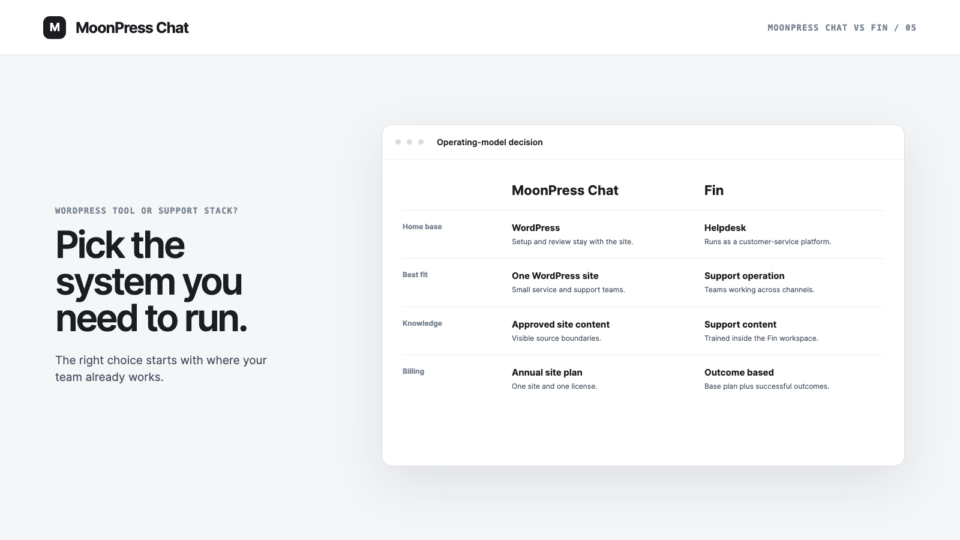
Fin manages its model layer and lets teams configure content, tone, Guidance, Procedures, and workflows. Its standard public offer is outcome-priced rather than a bring-your-own-provider connection. That is a different ownership model from MoonPress Chat: Fin packages the model and support platform together, while MoonPress Chat separates the plugin license from the customer's provider account.
The current Fin outcome pricing starts with a $49 monthly base plan that includes 50 resolutions. Additional successful outcomes cost $0.99 each. A configured procedure that ends in a handoff can count as an outcome, while an explicit request for a human or a default escalation does not automatically create that charge.
Choose Fin for a real support operation that will use its platform depth. For one WordPress site and a small team, compare that operating model—not only the AI answer quality—with a focused plugin. Our MoonPress Chat versus Fin comparison examines that decision in detail.
6. Boei: best for a small-business AI receptionist
Boei presents itself as an AI receptionist for small businesses and agencies. It answers visitor questions, qualifies leads, books meetings, and hands conversations to a team through a shared inbox. The product also brings email, SMS, and numerous contact channels into the same hosted service.
The appeal is speed and consolidation. A business can add one widget rather than assemble a model provider, knowledge store, contact launcher, and inbox separately. Boei says setup requires no API key or prompt engineering.
The tradeoff is that WordPress is the installation point, not the full operating environment. Teams looking for source approval and review inside WordPress should compare that distinction with MoonPress Chat. Teams that mainly want a hosted receptionist and contact hub may prefer Boei's packaged approach.
7. aGo: best for a free file-based Gemini chatbot
aGo AI Chatbot is a free WordPress plugin that uses a site owner's Google Gemini API key. It builds its knowledge from uploaded PDF, TXT, CSV, Markdown, and JSON files through Gemini File Search. The plugin says it does not send data to an aGo server or store visitor conversations.
That makes aGo an appealing experiment for teams with a clear file-based knowledge set and the confidence to manage a Gemini key. There are no plugin-level chat or file caps, although Google's own API terms and usage costs still apply.
The free edition does not include conversation history, lead capture, analytics, or human handoff. Those are listed as features of a separate paid companion. It is therefore best viewed as a lean knowledge chatbot, not a complete customer-support workflow.
Choose aGo when cost and direct Gemini ownership are the priority. Choose a support product when reviewing conversations and transferring responsibility to a person are launch requirements.
Which WordPress AI chatbot plugin should you choose?
Start with the place where your team should own the conversation.
- Choose MoonPress Chat if one WordPress site is the center of the workflow and you want approved knowledge, complete handoff, model choice, and direct provider billing.
- Choose AI Engine if a developer wants a flexible AI framework for chat, content, tools, and custom functions.
- Choose WPBot if you want a large menu of WordPress chatbot, lead, RAG, and channel features.
- Choose Tidio if live agents need a shared inbox and AI is one part of that support suite.
- Choose Fin if you operate a dedicated, multichannel support function and can benefit from its workflows and helpdesk integrations.
- Choose Boei if a packaged small-business receptionist and contact hub is the main goal.
- Choose aGo if you want a free, file-based bot and are comfortable owning the Gemini connection.
Whichever product you shortlist, test the operating boundary before the demo answer. Confirm what sources it can use, what it records, who can correct an answer, and what the visitor sees when the AI does not know. The WordPress AI chatbot launch checklist covers the full path.
FAQ
What is the best WordPress AI chatbot plugin?
There is no universal winner. MoonPress Chat is the strongest fit here for WordPress-first customer support; AI Engine suits custom development; Tidio and Fin suit teams that want a broader support platform. Choose by operating model, knowledge control, handoff, and total cost—not by the number of features advertised.
Is there a free AI chatbot plugin for WordPress?
Yes. MoonPress Chat plans a free BYOP core after WordPress.org approval, while AI Engine, WPBot, Tidio, and aGo already offer free entry points. Model usage or advanced features may still cost money. A free plugin is not automatically a free support system: check provider charges, conversation limits, knowledge storage, human handoff, and who will maintain the configuration.
Does WordPress include an AI chatbot by default?
No. A self-hosted WordPress site needs a plugin or an external service to add AI chat. The installation can be native while the AI models, knowledge storage, inbox, or billing live elsewhere. Review every external service and its data handling before enabling the widget for visitors.
What is the difference between a WordPress-native chatbot and a hosted chatbot?
A WordPress-native product keeps more setup and review in the site's admin. A hosted product usually uses a small WordPress connector while conversations, knowledge, billing, and team work happen on another platform. Neither is inherently better; the right choice depends on where your team should work every day.
Does MoonPress Chat include AI model usage?
No. The free MoonPress Chat core uses a provider account you connect, and that provider bills your account directly for usage. MoonPress Chat Pro is priced at $200/year but is not yet for sale, and it does not currently include a MoonPress Chat token bundle. This keeps model choice and usage controls with the site owner.