Most writing about WordPress AI chatbot security is about the plugin: keep it updated, check its vulnerability history, use strong passwords. That advice is correct and incomplete. An AI chatbot has a second attack surface that a contact form does not — it can be talked into things.
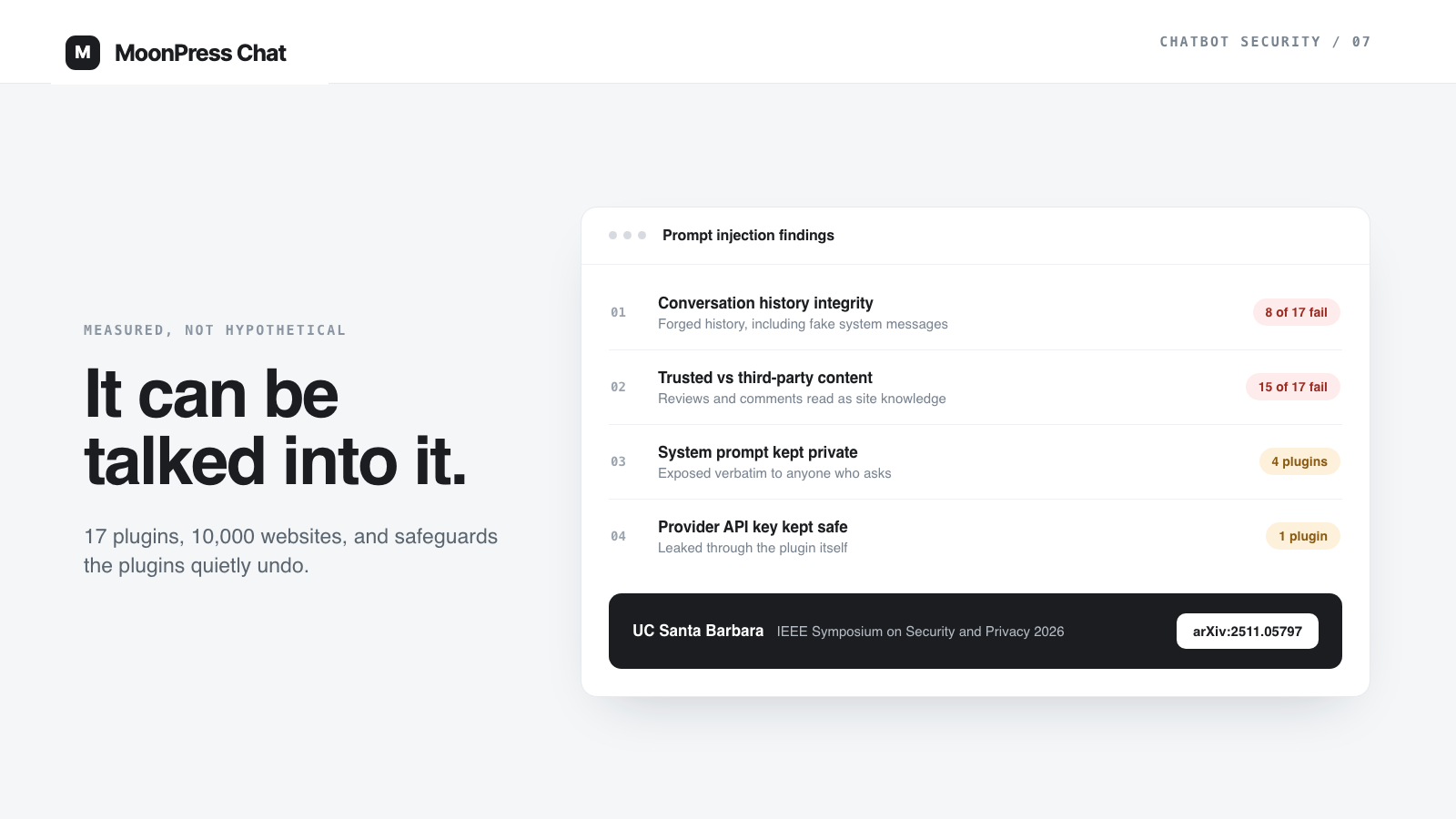
This is no longer theoretical. In a study accepted to the IEEE Symposium on Security and Privacy 2026, researchers at UC Santa Barbara examined 17 third-party chatbot plugins used by more than 10,000 public websites, with WordPress as the primary ecosystem. They found insecure practices that actively undermine the safety mechanisms the AI providers themselves build in.
The findings are worth reading closely if you are about to put an assistant in front of your visitors, because they point at design decisions rather than patch levels.
The measured problem in the plugin ecosystem
Two findings from that study matter most to a site owner choosing a plugin.
First, 8 of the 17 plugins — deployed on roughly 8,000 websites — did not verify the integrity of the conversation history sent between the visitor and the chatbot. An attacker could therefore forge the conversation, including inserting fake system messages that the model treats as the highest-authority instruction. The researchers measured that this raised the success rate of getting unintended behavior out of the chatbot by three to eight times.
Second, 15 of the plugins offered tools that pull website content into the chatbot’s context, and none of them distinguished the site’s own trusted content from untrusted third-party content such as customer reviews. The study also found that around 13% of the e-commerce sites it looked at had already exposed their chatbots to third-party content in this way. For context on how fast this is spreading, the researchers note the ecosystem grew by nearly 50% during 2025 alone.
The disclosure timeline is the part that should shape how you choose a vendor. Vulnerabilities were reported in October 2024. The most widely adopted plugin moved message handling server-side and hardened its prompts. One acknowledged the problem but said some of its workflows depend on being able to modify messages, so it now logs a warning instead of preventing the forgery. The rest did not respond or have not acted.
Direct injection: when the visitor can rewrite the conversation
The mechanism is simple. Many chatbot plugins keep the conversation in the browser and send the whole history with each request. If the server accepts that history without checking it, whoever controls the browser controls what the model believes was said — including messages attributed to the system or the assistant.
Once that is possible, the usual protections stop working. Instruction hierarchy, the mechanism commercial models use to rank a developer’s system prompt above user input, only helps while the role labels are trustworthy. If an attacker can label their own text as a system message, the hierarchy is working perfectly and protecting the wrong thing.
What an attacker gets varies from embarrassing to expensive: your system prompt read back verbatim, the assistant repurposed as a free code generator on your provider bill, invented policies or discounts quoted on your domain, or tool calls fired with attacker-chosen arguments where the plugin supports tools.
The fix is architectural, not a prompt. Conversation state belongs on the server, or the legitimate messages need to be signed with a server-side secret so forged ones fail the check. This is a reasonable thing to ask a plugin vendor directly: where is the conversation history stored, and what stops a modified history from being accepted?
Indirect injection: when your own page attacks your bot
The second class is stranger and harder to notice. If your assistant reads pages that contain text other people wrote — product reviews, blog comments, forum posts, user-submitted listings, testimonials — then anyone who can post on your site can leave instructions where your chatbot will read them.
Nothing needs to be hacked for this to work. The comment is public, the crawler is doing its job, and the instruction arrives inside content the plugin treats as trusted site knowledge. The visitor who then asks a normal question receives an answer shaped by a stranger.
This is the strongest practical argument for approving knowledge instead of crawling everything. A source can be discovered without being trusted, and user-generated content should be isolated from the material the assistant may treat as authoritative — which is also one of the two defenses the researchers prototyped. We wrote about that separation in why approved knowledge matters more than a clever prompt.
The ordinary WordPress vulnerabilities still apply
None of the above replaces the standard plugin-security picture, and chatbot plugins have a real CVE history. Published research on this class of plugin includes an admin-level remote code execution and an SQL injection in one widely installed WordPress AI plugin (CVE-2024-6451 and CVE-2024-6723), and an unauthenticated SQL injection plus stored cross-site scripting in another (CVE-2024-6847 and CVE-2024-6843), all fixed in later releases.
The stored XSS is the one to sit with for a moment. The payload was submitted through the chat widget, stored, and then executed when an administrator opened the conversation logs in wp-admin — where it was used to steal the site’s AI provider API key. The chat log is not a passive record; it is user input rendered in your admin.
So the boring rules hold. Prefer plugins with a visible security history and recent releases, apply updates promptly, keep administrator accounts few and protected with two-factor authentication, and treat a chatbot plugin as seriously as you would treat a payments plugin.
Your provider key is a payment instrument
A bring-your-own-provider setup is good for cost control and data ownership, and it puts a live billing credential in your WordPress install. Two consequences follow.
The key should be dedicated to the site, so it can be revoked without breaking anything else, and it should have a spending limit set in the provider console rather than relying on the plugin to be well behaved. If the key leaks, the damage is capped by that limit and by how quickly you can rotate it.
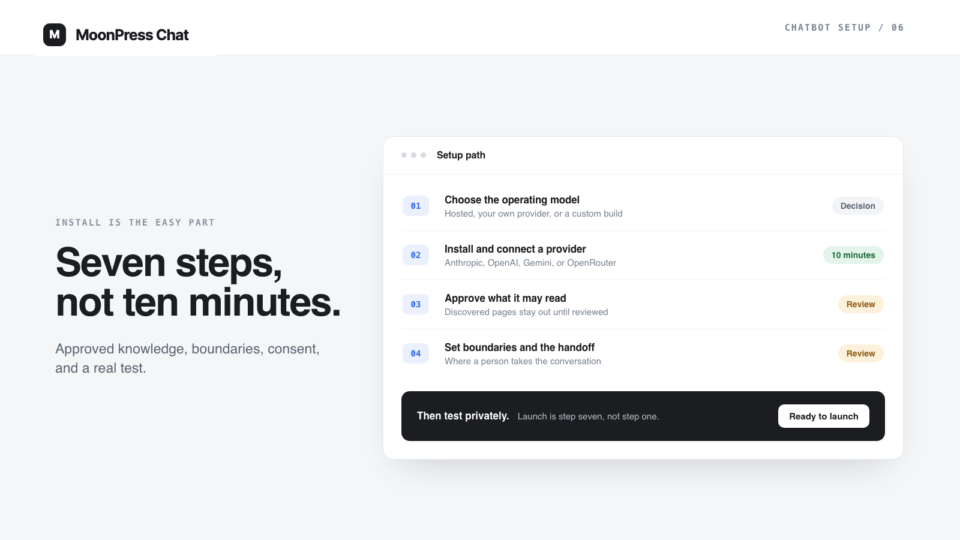
The key should also never travel through a chat window. Setup assistance is increasingly delivered by AI agents, and a process that asks you to paste a provider key, a WordPress password, an Application Password, or a password-reset link into a prompt is a leak with a friendly interface. MoonPress Chat’s public setup skill is built on that rule: it works from the public site URL, stores nothing secret in the files it writes, and leaves authenticated actions to you.
What your logs need to show
One detail from the research deserves its own paragraph: in several plugins, injection attempts were not visible in the plugin’s own dashboard at all. They appeared only in the AI provider’s logs, reachable with the API key.
If your plugin does not show you the actual conversation as the model received it, you cannot investigate an incident and you cannot tell an ordinary bad answer apart from a manipulated one. Before launch, check that you can read a full conversation, see which sources an answer used, and find the moments where the assistant refused or handed over. That is the same visibility a good human handoff depends on.
A security review you can run this week
None of this requires a penetration test. Use it as your WordPress chatbot security checklist — most of it is answerable in an afternoon.
- Ask the vendor where conversation history is stored and what prevents a forged history from being accepted.
- List every page the assistant is allowed to read, and remove anything containing content other people wrote — reviews, comments, submissions.
- Try the obvious attacks on your own bot: ask it to reveal its instructions, tell it to ignore them, and hide an instruction in a comment on a page it reads.
- Confirm refusals hold on the question types where a confident answer would be a problem: prices, eligibility, legal or medical conclusions, individual accounts.
- Check that a full conversation, its sources, and its refusals are readable in your admin.
- Give the provider key a spending limit, make it site-specific, and write down how to rotate it.
- Confirm no secret has ever been pasted into a chat with an AI agent. If one has, rotate it now.
- Decide retention and who may read conversations, then make the privacy policy match — including that your model provider processes message content.
Our launch checklist covers the operational half of the same gate: consent, language, handoff, private launch, and rollback.
Where MoonPress Chat draws its lines
MoonPress Chat exists because of this problem class rather than in spite of it, so it is worth being precise about what it does and does not claim.
What it does: knowledge is approved before it can be used in an answer, boundaries and instructions are editable and visible in WordPress rather than buried in a vendor template, conversations and their handoffs are readable in your own admin, visitors are told they are talking to an AI assistant, and provider keys stay in your provider account with your spending controls. The optional setup skill never asks for a secret in a chat.
What it does not claim: no plugin can promise an unbreakable chatbot, prompt injection is an open research problem with no accepted general solution, and any assistant that reads text can be influenced by text. The realistic goal is to reduce what an assistant is able to say, make what it did say inspectable, and keep a person in the path where confidence would be dangerous.
If you are evaluating tools, that is the comparison worth making — not which chatbot sounds most fluent, but which one you could investigate after a bad answer. You can see how MoonPress Chat is set up on the setup page, and the free core is $0 forever with your own provider account.
FAQ
What is prompt injection in a WordPress chatbot?
Prompt injection is text that gets the assistant to follow instructions it was not given by you. Direct injection comes from the visitor, and is far more effective when a plugin lets the browser forge the conversation history. Indirect injection comes from content the assistant reads, such as a comment or review on your own site that contains hidden instructions.
Are WordPress AI chatbot plugins safe to use?
They vary widely, and the differences are architectural rather than cosmetic. Peer-reviewed research published in 2025 found that 8 of 17 popular chatbot plugins failed to verify conversation integrity and 15 did not separate trusted site content from user-generated content. Ask a vendor where conversation state is stored, what content the assistant may treat as authoritative, and what its logs show you.
Can a chatbot leak my AI provider API key?
It has happened. A stored cross-site scripting vulnerability in one WordPress AI chatbot plugin allowed a payload submitted through the chat widget to execute when an administrator viewed the chat logs, and it was used to steal the site’s provider key. Keep keys site-specific, set a spending limit in the provider console, and know how to rotate them.
Does approving knowledge really prevent injection?
It does not eliminate it, but it removes the largest practical opening. If the assistant may only use sources a person approved, then a comment, review, or submission left by a stranger cannot become instructions the assistant treats as authoritative. Isolating user-generated content is one of the defenses the UCSB researchers prototyped.